Guides
FocusOffice Community Guide · November 21, 2025 · 1 min read
3-Minute Quick Start: Proximity Voice, Acoustic Pods & Auditorium Talks
Master cross-city teleporting, closing private pod doors, screen privacy permissions, and auditorium hand-raising Q&A in minutes.
Three Essential Tips
- Ride the Elevator Anywhere (Shortcut
B)
- Step into the lobby elevator or press
Bto open the World Map and see which global cities have teammates online right now.
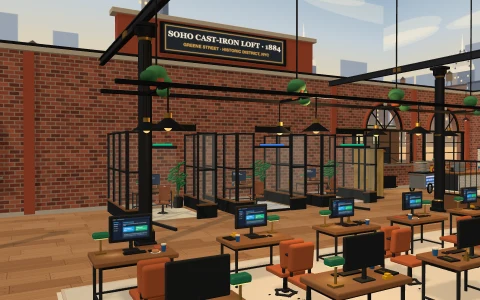
- Acoustic Private Glass Pods (Press
Efor Doors)
- Need zero distractions or a confidential 1-on-1? Step inside a pod and close the glass door—ambient noise stays outside and conversations stay completely private inside.
- Stepped Auditorium Q&A
- Step onto the stage to present slides to the whole room; once Q&A is enabled, audience members can raise a hand to take the live microphone.
# Quick Guide# Spatial Voice# Auditorium
Try FocusOffice Now →